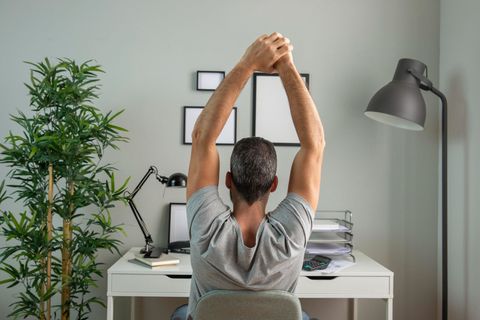
Workspace Ergonomics Guide: Improve Comfort and Focus
What Is Workspace Ergonomics?
Workspace ergonomics is about arranging your environment to fit your body’s natural posture and movement. Instead of forcing yourself to adapt to an uncomfortable setup, ergonomics ensures that your desk, chair, and tools support you properly.
The goal is simple: reduce physical stress while improving efficiency. When your workspace is aligned with your body, you’re less likely to experience fatigue, discomfort, or distractions caused by poor posture.
Ergonomics doesn’t require expensive equipment. It’s more about positioning, habits, and awareness than anything else.
Why Ergonomics Matters in Daily Work
Many people spend long hours sitting, typing, or looking at screens. Over time, poor posture and repetitive movements can lead to discomfort in areas like the neck, shoulders, and lower back.
A good ergonomic setup helps you:
- Maintain a neutral posture
- Reduce strain on joints and muscles
- Improve focus and concentration
- Feel more comfortable throughout the day
Think of it as a long-term investment in your well-being rather than a quick fix.
Key Elements of an Ergonomic Workspace
Creating an ergonomic workspace involves a few core components. Each plays a role in supporting your posture and movement.
Chair and Sitting Position
Your chair is the foundation of your workspace. It should support your spine and encourage a natural sitting posture.
Here’s what to focus on:
- Keep your feet flat on the floor
- Ensure your knees are level with or slightly below your hips
- Sit with your back fully supported by the chair
- Avoid slouching or leaning forward for long periods
If your chair has adjustable features, use them to match your height and comfort level.
Desk and Monitor Placement
Your desk and screen positioning directly affect your neck and eye comfort.
For a balanced setup:
- Position your monitor at eye level
- Keep the screen about an arm’s length away
- Center the monitor in front of you to avoid twisting
- Ensure your desk height allows your arms to rest comfortably
A poorly placed monitor often leads to neck strain, so this adjustment is crucial.
Keyboard and Mouse Alignment
Your hands and wrists should stay relaxed while working.
To achieve this:
- Keep your keyboard at elbow height
- Maintain straight wrists while typing
- Place your mouse close to the keyboard
- Avoid reaching or stretching frequently
Small adjustments here can prevent unnecessary strain over time.
Common Ergonomic Mistakes to Avoid
Even with good intentions, it’s easy to fall into habits that disrupt your posture.
Slouching or Leaning Forward
This is one of the most common issues. It often happens when the screen is too low or too far away.
To correct it:
- Bring your screen closer
- Adjust your chair height
- Sit back fully in your chair
Ignoring Breaks
Sitting in the same position for long periods can cause stiffness and fatigue.
Try to:
- Stand up every 30–60 minutes
- Stretch lightly
- Change your posture throughout the day
Movement is just as important as posture.
Poor Lighting Conditions
Lighting affects both your eyes and your posture. Dim or harsh lighting can make you lean forward or strain your eyes.
A well-lit workspace should:
- Reduce glare on your screen
- Provide even lighting
- Allow you to read comfortably without squinting
Quick Ergonomic Setup Reference
Below is a simple table to help you review the ideal ergonomic positions:
| Workspace Element | Recommended Position |
|---|---|
| Monitor Height | At or slightly below eye level |
| Screen Distance | About an arm’s length away |
| Chair Height | Feet flat, knees at hip level |
| Keyboard Position | At elbow height, wrists straight |
| Mouse Placement | Close to keyboard, easy reach |
| Sitting Posture | Back supported, shoulders relaxed |
Use this table as a quick checklist when adjusting your workspace.
Practical Tips for Everyday Comfort
Ergonomics isn’t just about setup—it’s also about daily habits.
Adjust Your Workspace Gradually
You don’t need to change everything at once. Start with the most noticeable discomfort and fix that first.
For example:
- If your neck hurts, adjust your monitor
- If your wrists feel strained, reposition your keyboard
Small changes can lead to big improvements.
Keep Frequently Used Items Nearby
Reaching for items repeatedly can cause strain over time.
Place essentials like:
- Notebooks
- Water bottles
- Devices
within easy reach to minimize unnecessary movement.
Use Natural Movement
Your body is designed to move. Staying in one position for too long can cause stiffness.
Try to:
- Shift positions occasionally
- Stretch your arms and legs
- Walk briefly during breaks
These simple habits support long-term comfort.
Pay Attention to Your Body
Your body gives signals when something isn’t right. Discomfort, tension, or fatigue often indicate that your setup needs adjustment.
Instead of ignoring these signs:
- Pause and assess your posture
- Make small corrections
- Take short breaks if needed
Awareness is a key part of good ergonomics.
Creating a Balanced Work Environment
Ergonomics goes beyond furniture. Your overall environment also plays a role in how comfortable and productive you feel.
Temperature and Airflow
A comfortable temperature helps you stay focused. If the room is too hot or too cold, it can distract you and affect posture.
Fresh air and proper ventilation also contribute to a better work experience.
Noise Levels
Excessive noise can lead to tension and reduced concentration. A quieter environment helps you stay relaxed and focused.
If noise is unavoidable, consider ways to reduce its impact, such as rearranging your workspace or using soft background sounds.
Personalization
Adding personal touches can make your workspace more inviting without affecting ergonomics.
You might include:
- Plants
- Simple decor
- Organized storage
Just ensure these additions don’t interfere with your posture or movement.
Ergonomics for Different Work Styles
Not all workspaces are the same. Your setup may vary depending on how you work.
Laptop Users
Laptops can be challenging because the screen and keyboard are attached.
To improve comfort:
- Raise the laptop to eye level
- Use an external keyboard if possible
- Avoid working on soft surfaces like beds or couches
Standing Workspaces
Some people prefer standing desks or alternating between sitting and standing.
If you stand:
- Keep your screen at eye level
- Distribute weight evenly on both feet
- Avoid locking your knees
Switching between sitting and standing can help reduce fatigue.
Remote and Flexible Work
Working from different locations can make consistency difficult.
Try to:
- Maintain similar ergonomic principles wherever you work
- Use portable supports if needed
- Stay mindful of posture, even in temporary setups
Consistency helps prevent discomfort over time.
Conclusion
A well-organized ergonomic workspace supports both comfort and productivity. By adjusting your chair, desk, and screen positioning, you can reduce strain and improve how you feel throughout the day.
The key is to stay aware of your posture and make small, consistent improvements. You don’t need a perfect setup—just one that works well for your body and your routine.
Start with simple changes, listen to your body, and build a workspace that helps you stay comfortable and focused every day.